Why we’re building WebDIY
AI can write a huge portion of the code for us now. But there’s still a surprising amount of work involved in taking an idea and turning it into something people can actually use.

Published 9 min read
I've spent most of my career building websites and applications. I started out freelancing, mostly working with WordPress, and later moved into building products at startups.
Those experiences, along with how AI coding tools have changed the way I work, eventually led me to start WebDIY.
Starting out with WordPress
When I was freelancing, WordPress was an obvious choice for many client projects. It was relatively quick to set up, clients could manage their own content, and there were plugins for almost everything.
The problem was what happened after the website went live.
I spent a lot of time dealing with plugin updates, compatibility issues, security problems, and websites randomly breaking after an update. Sometimes adding a fairly simple feature meant installing yet another plugin, hoping it worked with everything else, and then dealing with whatever problems came up later.
Some sites ended up with dozens of plugins, many of which were barely being used. And the more plugins a website had, the more things there were to maintain.
I remember spending a lot of time fixing issues that had nothing to do with what the client originally hired me to build. Instead of working on useful features, I was updating plugins, troubleshooting conflicts, or trying to figure out why something that worked last week had suddenly stopped working.
I don't think WordPress is bad. It's still a good option for plenty of websites. But I wasn't particularly happy with how much ongoing maintenance even a simple website could require.
Moving to modern development
Later, I started working on products at startups, using modern frontend frameworks, backends, databases, cloud services, and all the other tools you'd expect in a typical software stack.
I enjoyed this a lot more in many ways. There was no need to work around a plugin or a CMS. If we needed something, we could build it the way we wanted.
Of course, that also meant we were responsible for pretty much everything.
A new application meant setting up the project, choosing the stack, configuring a database, handling authentication, managing environment variables, connecting third-party services, and eventually figuring out deployment.
Even before writing much of the actual application code, there was quite a bit of setup involved. And a lot of it was the same work I'd done on previous projects.
As a developer, you get used to these things. They're not necessarily hard, but they take time. You also need to know how the different pieces fit together, especially when something goes wrong.
A lot of that setup felt repetitive, especially when I'd already done it on previous projects. If someone had an idea for a simple web application, why did getting started have to involve so many decisions about infrastructure and tools?
AI made coding faster, but didn't remove all the other work
When AI coding tools started getting really good, I was excited about what they made possible.
I've been using tools like Claude Code and Cursor quite a lot. They've changed the way I work, especially when it comes to building prototypes, implementing features, and getting through repetitive development tasks.
I've actually built most of WebDIY itself using Claude Code.
I can get through a lot more work now just by describing what I want, reviewing the result, and making changes. Things that previously took days can sometimes be done in hours.
But after using these tools for a while, I noticed that although writing code had become much faster, the rest of the development process was still there.
You still needed somewhere to host the application. You needed a database, authentication, environment variables, API keys, and sometimes several external services.
Sure, you could ask AI to help set all of that up too. And it often does a good job. But you still need to know what you're asking for, understand the choices it makes, and deal with things when they don't work.
That's manageable if you're a developer, but it's a very different experience for someone who's never deployed an application before.
Think about a small business owner who wants to build a booking system, someone who needs a dashboard for their team, or a founder who wants to test a product idea.
They might have a very clear idea of what they want. But asking them to learn about databases, hosting, authentication, and deployment just to get their application running seems unnecessary.
I wanted to make more of that process easier, not just the coding part.
How WebDIY started
I started working on WebDIY in June 2025, although I'd been thinking about the idea for some time.
Initially, I wanted a way to build and deploy applications without having to go through the usual setup every time. As I worked on it, the idea evolved into something broader.
What if you could do most of the development process in one place?
Not just generate code, but actually run your application, add a database, set up authentication, connect services, and publish it. And then come back later to make changes without having to set everything up again.
That's what we're working on with WebDIY.
You describe the application you want to build, and WebDIY generates the code and interface. It can also set up things like a database and user authentication when your application needs them.
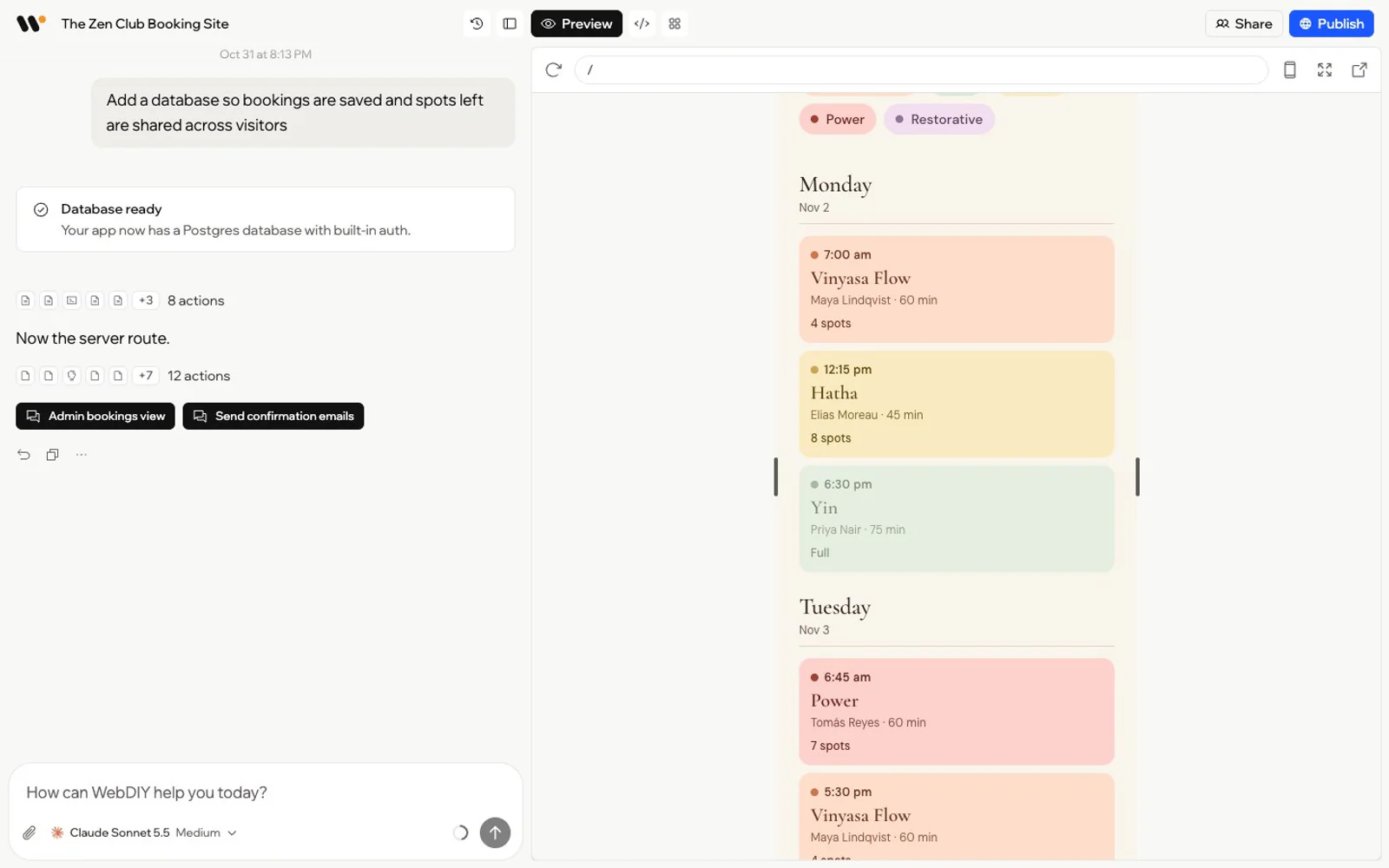
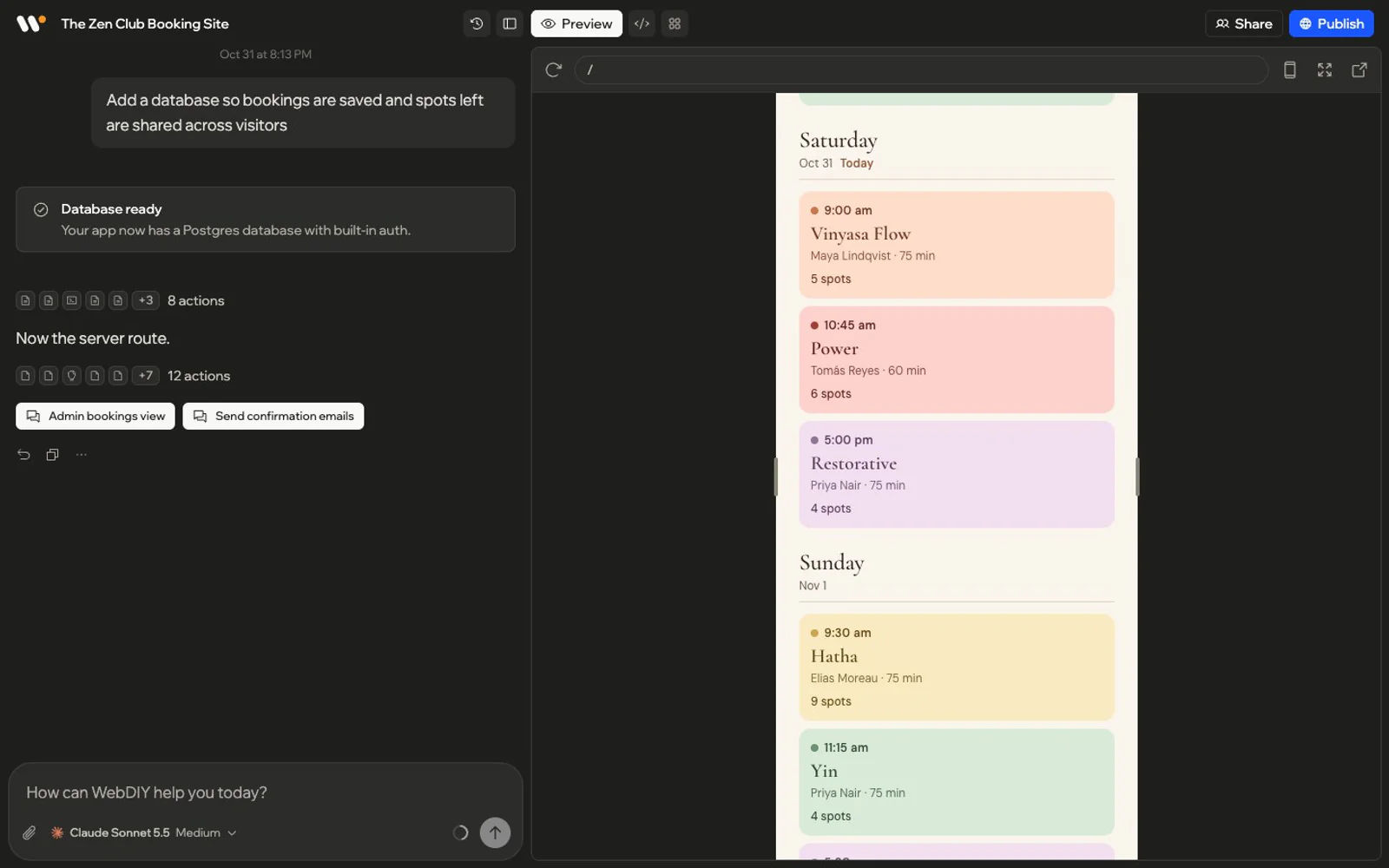
You can preview the application, ask for changes, inspect the files, and publish it when you're happy with how it's working.
Once it's live, you can continue improving it, monitor how it's performing, and manage the project from the same place.
There's no need to start with a blank project, manually configure a bunch of services, and figure out how to connect them all before you can even test your idea. We're trying to take care of as much of that work as possible.
You shouldn't need your laptop every time you want to make a change
Something else I wanted from the beginning was the ability to work on projects from anywhere.
Most of my development work has traditionally happened on a laptop, with an editor, terminal, and local development environment. That's fine when you're sitting down to work for a few hours.
But sometimes you think of a change while you're away from your computer. Maybe you want to fix something, update a page, or try out a feature idea.
With WebDIY, you can open your project in a browser and continue working on it. You can even use your phone to describe a change you want to make.


I like the idea of being able to make progress on something without having to open my laptop, pull the latest code, run the development server, and go through the usual workflow.
It's also useful when you're working with other people. You can invite teammates, share a project with a client, and continue working together without everyone needing their own development environment.
I don't think this replaces traditional development tools for every situation. But for a lot of everyday changes, it can make things much more convenient.
Making things easier without taking away control
One thing I've noticed while trying different AI app builders is that simplicity sometimes comes at the cost of flexibility.
Some platforms make it very easy to get started, but give you limited control over how things work behind the scenes. I wanted WebDIY to be approachable for someone who doesn't know how to code, while still being useful to developers who want more control.
For example, WebDIY lets you choose which AI model you want to use. Different models have different strengths, and people have their own preferences. I don't see a reason to force everyone to use the same one.
We also support connecting your own API keys from supported AI providers. If you already have an account with an AI provider, you can use that for model usage instead of paying WebDIY credits for those model tokens. The development environment and other resources still consume WebDIY credits, but you're not forced to pay through us for everything.
Pricing transparency is another thing we care about. With AI tools, it's not always obvious how much a particular request costs or what you're actually paying for.
In WebDIY, you can see how many credits each message uses and review your usage across projects.
We've also made the project files accessible. You can look at the generated code, edit it yourself, and download the source code. If you've spent time building an application, you should be able to see what's inside it and take the code with you.
Choose the modelFor each message
Use your own AI keyAnthropic or OpenAI
See what a message costIn credits, under each reply
Read and edit the codeEvery file in the project
Of course, plenty of people won't care about any of this. They just want to describe an idea and get a working app, and that's completely reasonable.
But I don't want WebDIY to become a black box that you have no control over.
There's still a lot to improve
WebDIY is far from perfect, and there are plenty of things we're still working on.
AI-generated code doesn't always work the first time. Sometimes a change breaks something else. Sometimes the model misunderstands what you asked for.
We've also had to deal with the challenges of running generated applications reliably, especially when databases, authentication, and external services are involved.
Building something that looks good in a preview is one thing. Making sure it continues working when people actually use it is much harder. These are problems we're spending a lot of time on.
There are still things WebDIY can't handle, and I don't want to pretend that building an application is now as simple as typing a sentence and clicking a button.
For some projects, it can be surprisingly close to that. For others, there's still a fair amount of back and forth.
But even with those limitations, I'm encouraged by how much easier the process has already become.
Where we want to take this
When I look at how my own development workflow has changed over the years, it's interesting how each new set of tools has solved some problems while introducing others.
WordPress made it easier to build websites, but maintaining them could be a pain. Modern frameworks gave developers much more flexibility, but required more setup and infrastructure work. And AI coding tools have made writing software dramatically faster, but there's still a lot involved in running and maintaining what they generate.
With WebDIY, we're trying to make it easier to go from an idea to a working application without spending so much time on setup and infrastructure.
I want someone with an idea to be able to start building it without first spending weeks learning a development stack. And I want developers to be able to move faster without repeating the same setup work on every project.
I don't think AI will eliminate the need for developers, or that every application can be built entirely through prompts. But I do think creating software is becoming accessible to far more people.
We've still got a long way to go, but I'm looking forward to seeing what people build with WebDIY.